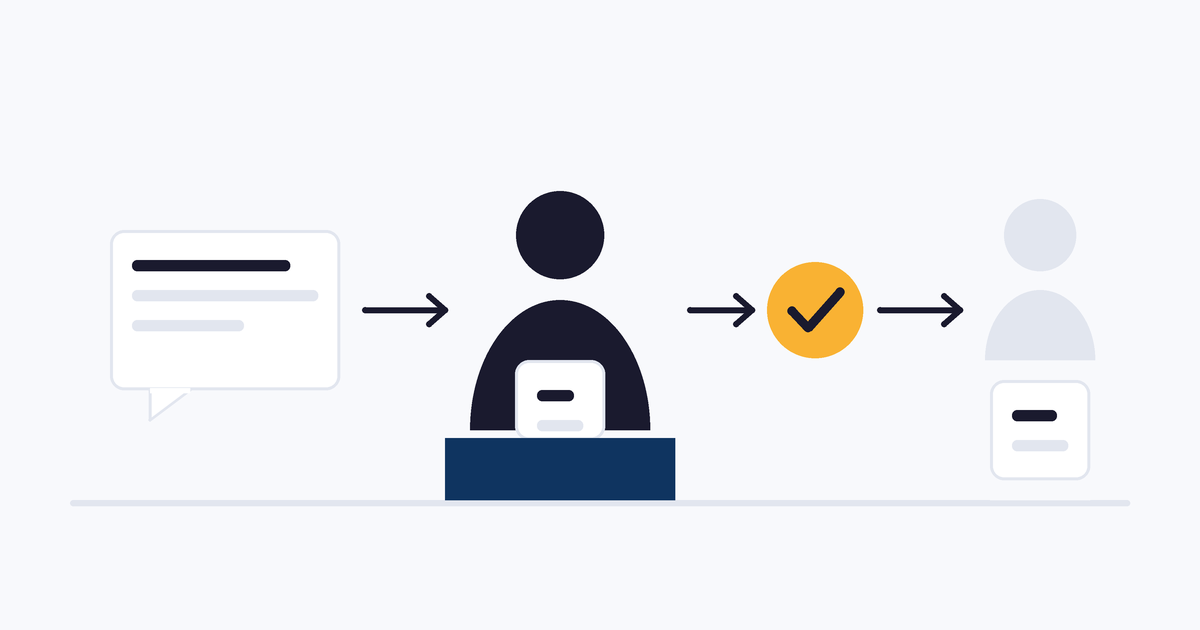
Why a person should check every automation before it touches your customers
Artificial intelligence (AI) tools are fast. They are also wrong some of the time, and they say wrong things in a confident voice.
When the mistake stays inside a draft, it costs you a minute. When it reaches a customer, it costs you trust.
This post is about one habit that keeps those two things apart: a person checks the work before it goes out.
Short version
- AI-built work can be wrong, and nothing in the tool warns you.
- When your business sends it, your business answers for it.
- Experts and regulators keep landing on the same fix: put a human check in front of it.
- At Alza, a person checks every automation before it touches your customers.
What goes wrong when no one checks
These are real cases from the last two years. Each one is a business that let AI output go out without a person reading it first.
A support bot invented a rule. In April 2025, a software company’s AI support assistant told customers they were being logged out because of a new policy. No such policy existed. The company’s co-founder later called it an incorrect answer from a front-line AI bot, and customers reportedly cancelled over it (AI Incident Database, Incident 1039, dated April 19, 2025).
A consulting firm’s report had made-up sources. In October 2025, Deloitte Australia agreed to repay part of its fee to the Australian government after a report it wrote contained citations that did not exist. The firm later said it had used a generative AI tool to help write it (OECD.AI Incident Monitor, October 5, 2025). The problems were reportedly flagged by a university researcher.
An AI tool deleted a company’s live records. In July 2025, a startup founder reported that an AI assistant wiped his live database while he had told it to make no changes. The company behind the tool called it unacceptable (eWeek, July 2025). The founder’s account is the main source for the details.
A chatbot’s wrong answer became the company’s problem. This one is from 2024, just before the period above, but it is the case lawyers still cite. A customer asked an airline’s website chatbot about a discount fare and got the wrong answer. A Canadian tribunal ruled that the airline was responsible for what its chatbot said (American Bar Association, Business Law Today, February 2024).
The pattern is the same each time. The tool did not know it was wrong. No one was placed to notice before the customer did.
A note on fairness: these are large companies, and the tools involved are not the ones every small business uses. The lesson still carries down. A text message, a quote or an invoice reminder from your business is your word to the customer.
What the rule-makers say
You do not have to take my word for it. The groups that write the rules keep coming back to human review.
- The European Union’s AI Act. Article 14 says certain high-risk AI systems must be built so that people can oversee them while they run. It also says the person overseeing should stay aware of the tendency to rely too much on the output (EU AI Act Service Desk, Article 14, text as of July 27, 2026). That law is aimed at high-risk systems, and most small-business automations are not in that group. I mention it because it shows where careful people have landed.
- The U.S. National Institute of Standards and Technology (NIST). It published a generative AI profile for its AI Risk Management Framework in July 2024. It is voluntary guidance for organizations that want to manage AI risk (NIST, Generative AI Profile, July 26, 2024).
- The AI makers themselves. Anthropic’s usage policy says its high-risk uses, such as legal, financial and employment work, need safeguards like “human-in-the-loop oversight” (Anthropic, usage policy update, August 15, 2025).
None of these says a human check is perfect. People get tired and skim. That is why the check has to be someone’s job, not something that happens if there is time.
Why this matters for a small business
A big company can absorb a bad message. You may not be able to.
Your customers know you by name. When your follow-up text is wrong, they do not blame a tool. They blame you.
Think about what your automations say on your behalf: a reply to a new lead, a reminder before an appointment, a quote, a note about a late payment. Each one is a small promise. If it gets the date, the price or the name wrong, the customer remembers.
Your options
You have a few ways to get automation, and each can be the right choice.
- Software that runs on its own. Many tools send messages and replies without a person involved. This is right when the wording is simple, the stakes are low, and you are willing to read what it sends from time to time. Watch for: no one is assigned to notice when it drifts.
- A virtual assistant or office admin. A person who knows your business can read and fix as they go. This is right when you want steady human judgment on every task. Watch for: it does not scale past what one person can handle, and tasks still depend on that person’s day.
- An agency. A larger team can build something custom. This is right for bigger projects with a bigger budget. Watch for: small jobs may not get a named person who stays with them.
- Doing it yourself. You know your customers best. This is right if you enjoy the work and have the time. Watch for: you are checking your own work, and the busiest weeks are when mistakes slip through.
Where Alza is different
Alza is built around one idea: automation is only useful if you can trust it with your customers.
- A person checks every automation before it touches your customers. Not after a complaint. Before.
- Done for you and kept running. We set it up and stay on it. You are not left to watch it yourself.
- A named owner for your workflows, not a support ticket. When something looks off, you know who to ask.
This does not make mistakes impossible. It means a person is responsible for catching them before your customers do.
How to tell if an automation is ready to send
Whoever sets up your automation, ask these five questions:
- Who read it before it went live, and what is their name?
- Who do I call when it says something wrong?
- What does it say when it does not know the answer?
- Can I see what it sent last week?
- What happens if I ask you to stop it today?
If the answers are clear, you are in good shape. If they are vague, ask again.
Next step
If you are using automation, or thinking about it, and you want to know that a person is checking it, let’s talk it through. I’ll tell you honestly whether you need help or whether a simple tool will do.